TLDR; Want the short version? Make SEO audits a repeatable workflow, not a one-off crawl.
Use a crawler with Google Search Console, Core Web Vitals, and ongoing monitoring. Set access first. Configure crawls well, then use Google’s real data to find issues standalone scanners miss. Fix this order: indexability, crawl waste, server errors, performance, and conflicts in robots, sitemaps, and head tags. Keep audits on a schedule with alerts, recheck after releases, and add lightweight checks for AI crawler access, schema, and rendering visibility.
You can run an automated SEO audit without ending up buried in a huge pile of warnings. This guide gives you a simple way to spot real issues, sort them by impact, and turn them into action, which is usually the hardest part. It keeps things practical. It is meant for digital marketers, SEO specialists, content teams, and agencies that want an audit process they can repeat without wasting hours on low-value checks.
A good automated SEO audit is not just a single crawl. It usually works better as a workflow. That means using a technical SEO audit tool along with Google Search Console, Core Web Vitals data, and a technical SEO checker that tracks changes over time, so it is easier to see what changed and when. Modern SEO problems often appear in crawl waste, weak index signals, unstable templates, and slow real-world performance. If the process relies on only one scanner, some issues will often slip through.
The guide covers what to prepare, which settings to use, what needs attention first, how to prioritize findings, and how to confirm that fixes actually worked. Straightforward, but still important. For anyone comparing platforms at the same time, this tutorial can also be paired with this review of technical SEO platforms to help choose the right stack.
Before you start an automated SEO audit
What you’ll need:
- Access to your website, CMS, and Google Search Console
- A crawler or technical SEO audit tool such as Screaming Frog, Semrush Site Audit, Sitebulb, or another site crawler
- Access to PageSpeed Insights or Core Web Vitals in Search Console
- A spreadsheet, task board, project tracker, or optional tools like GA4, server log access, and developer support
Before you begin, gather these basics first, since that usually saves time later. These are the main things to have ready.
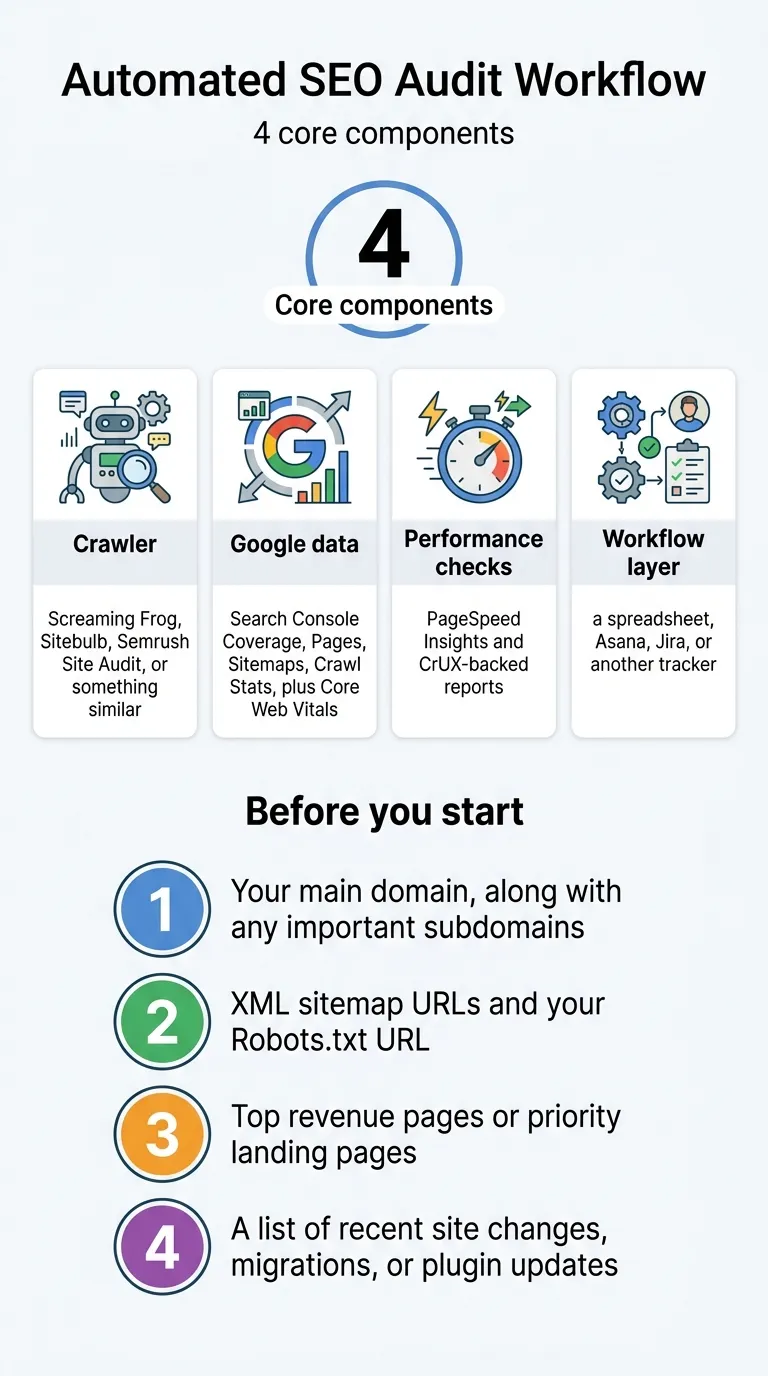
- Your main domain, along with any important subdomains
- XML sitemap URLs and your Robots.txt URL
- Top revenue pages or priority landing pages
- A list of recent site changes, migrations, or plugin updates
Tip: If the site runs on WordPress, plugin updates and theme changes are often the first things to check. A lot of technical issues start there, so that is probably the best place to begin and often the fastest thing to confirm.
Step 1: Pick the right audit stack
Start with tools that handle a few core jobs: crawling, Google data, field performance, and a simple way to track fixes without making things too complex. A crawler helps find broken links, redirect chains, duplicate tags, orphan-like pages, and indexability rules. Search Console shows how Google is really crawling and indexing the site. Core Web Vitals data adds what real users are seeing on the page, which is often the part teams miss.
A lot of teams rely on crawl output alone, and that is usually where things start to slip. Google defines crawl budget as
the set of URLs that Google can and wants to crawl
Google Search Central, Google for Developers Tweet
That means a page can show up in a crawl and still have weak crawl demand, poor internal linking, or server issues that make discovery harder. These gaps are easy to miss, and they come up more often than teams expect.
For most teams, a practical setup looks like this:
- Crawler: Screaming Frog, Sitebulb, Semrush Site Audit, or something similar
- Google data: Search Console Coverage, Pages, Sitemaps, Crawl Stats, plus Core Web Vitals
- Performance checks: PageSpeed Insights and CrUX-backed reports
- Workflow layer: a spreadsheet, Asana, Jira, or another tracker
If a broader view of platform types is helpful, SEO Bot Software can be useful for comparing AI-driven SEO automation tools in one place. Teams also comparing platforms can review The Best SEO Audit Tools of 2026: Free vs Paid Options Compared for a side-by-side view of crawler and reporting options.
Common mistake: Buying one “AI SEO” platform and assuming it will also be strong at technical crawling. In many cases, these tools work better for content workflows than deep technical audits, and that is probably where they do their best work. Those are not the same thing.
Step 2: Configure your crawl correctly
Before you start, open your crawler and make sure the setup is right. Bad settings usually lead to bad audits, and that’s just frustrating.
A good starting setup looks like this:
-
Crawl the canonical version of the site, such as
https://www.example.com - Respect robots.txt for a standard audit
- If blocked sections need review, run a second crawl that ignores robots.txt
- Include JavaScript rendering when the site depends on JS for navigation or loading content
- Crawl XML sitemaps and compare them with the URLs the crawler finds
- Set the user agent to Googlebot, or use the tool’s default crawler setting
- Limit crawl speed if the server is sensitive
On larger sites, splitting the audit usually works better:
- Crawl the full site weekly
-
Review important folders daily, like
/blog/,/product/, or/category/ - Audit staging separately. Never mix it with production, because that often gets messy fast.
Recent web data is a good reminder that many sites still miss basic technical details. In the 2025 Web Almanac, invalid head elements appeared on 10.1% of desktop pages and 10.3% of mobile pages (HTTP Archive). That makes it worth adding checks for title tags, meta tags, canonicals, hreflang, and structured data to the crawl setup, since those areas often affect indexing the most and help search engines understand a page.
Tip: Save the crawl configuration as a template so the automated SEO audit stays consistent every time, and you don’t have to rebuild it for each run.
Step 3: Connect Google Search Console and pull real-world data
At this stage, it helps to look beyond crawler output and use Search Console reports that show what is really happening on the site. Open these reports:
- Pages
- Sitemaps
- Crawl Stats
- Core Web Vitals
- URL Inspection for a few sample pages
One of the best places to start is Crawl Stats. This report can show crawl waste and signs of server pressure. Google says it includes total crawl requests, total download size, average response time, crawl responses, and file types (Google Search Console Help). You will often spot issues here, like heavy crawling on parameter URLs or filtered pages, more 404, 5xx, or soft 404 responses, slower average response times, or weak crawl activity in key folders like product, category, or blog sections.
Then open Core Web Vitals. Google explains that
The Core Web Vitals report shows how your pages perform, based on real world usage data (sometimes called field data).
Google Search Console Help Tweet
That matters because lab tests may look good while real visitors still have a poor experience, and that happens a lot. In June 2025, the Chrome UX Report found 52.1% of origins had good LCP, CLS, and INP across a dataset of 17,931,785 origins (Chrome UX Report). The 2025 Web Almanac also showed that only 48% of sites passed Core Web Vitals on mobile. On desktop, 56% passed (HTTP Archive).
Common mistake: Ignoring field data because a homepage test looks good in PageSpeed Insights. That is a very common trap. And why stop at the homepage? Check URL groups in Search Console too, since templates and page types often perform differently.
Step 4: Audit the issues that hurt visibility first
Once the data is in, sort the findings by impact first, since that’s usually the easiest place to start. A good technical SEO checker helps here. Still, human judgment is needed to decide what matters most.
Start here:
Step 4.1: Indexability
Review pages with noindex, blocked resources, wrong canonicals, redirecting canonicals, and duplicate versions. Important pages should usually be indexable and listed in your sitemap, so this is worth checking twice.
Step 4.2: Crawl waste
Look for faceted URLs, parameter pages, duplicate archives, old tag pages, and low-value search result pages, the small stuff. If Google spends time there, it often has less time for the pages that matter most.
Step 4.3: Server and response issues
Watch for 5xx errors, 429 responses, 404s, and slow TTFB, which is small but often key. Google notes that when response times stay steady or get better, crawl limits can rise. So, in this view, server health directly affects SEO, and that usually shows up fast.
Step 4.4: Core Web Vitals and rendering
Start with template-level issues first, since that’s usually the best place to begin. If one product template has poor LCP, fixing it will likely improve hundreds of pages. That can make a big difference.
Step 4.5: Robots, sitemap, and head conflicts
The catch-all user agent * appears in 77% of robots.txt files (HTTP Archive), so that part is pretty normal. What often causes trouble is when broad directives block more than you expect. It helps to check for conflicts across robots.txt, meta robots, canonical tags, and XML sitemaps, since those signals can overlap in ways that are not always easy to spot.
If more practical help would be useful here, this website SEO checker tutorial explains how to read audit outputs without getting lost, which usually makes this part much easier. For teams exploring AI-assisted workflows, Best AI SEO Tools for Technical SEO Automation also covers platforms focused on recurring audits and issue tracking.
Step 5: Turn your automated SEO audit into monitoring
A one-time scan can help, but ongoing monitoring usually works better day to day.
Here’s a simple way to set up an automated SEO audit schedule:
- Daily: watch key templates, server errors, uptime, and index status for your top pages
- Weekly: run a full site crawl, check redirects, find broken internal links, and validate your sitemap
- Monthly: review Core Web Vitals, check structured data, review internal linking, and look for orphan pages
- After releases: recrawl changed sections within 24 hours, because that often matters most right after updates go live
It also helps to set alerts for:
- New 5xx spikes
- Large jumps in noindex pages
- Sudden drops in indexed pages
- Missing sitemap files
- Major changes in canonical patterns
This is usually where tools and process start working together. Modern platforms often focus more on recurring crawls, alerts, and issue prioritization, and less on one-off reports. That shift feels practical here because it helps teams catch problems earlier and spend less time digging through manual checks.
That also helps explain why many teams start with technical audits and reporting. The time savings often show up fast, especially when recurring checks take over a lot of manual review work. If you want to compare that shift, this guide to automated SEO tools gives useful context. Agencies handling larger portfolios may also want to review Best SEO Automation Tools for Agencies Managing 100+ Client Sites for examples of scalable monitoring workflows.
Tip: Instead of sending alerts only by email, send them to Slack or your task board too. Issues often get fixed faster when they show up inside the workflow your team is already using.
Step 6: Add AI search and bot visibility checks
This is a newer layer that many audits still skip. Along with Googlebot, some teams now review access rules for AI-related crawlers and answer engines such as GPTBot, ChatGPT-User, ClaudeBot, PerplexityBot, and Google-Extended, which is especially relevant right now. It does not replace classic SEO. It simply adds a wider view of visibility in a search environment where there is often much more AI involved.
What to check:
- Whether important content is blocked by broad bot rules
- Whether schema is present on key informational pages
- Make sure entity-rich pages are easy to crawl and render
- Whether thin or duplicate pages weaken trust signals
This usually should not become a huge separate audit, and it probably should not. It is more of a small adjustment. One practical approach is to include it as a checklist within the main automated SEO audit. SEO Bot Software often helps with this overlap between technical SEO automation and newer GEO workflows, which can be useful for teams planning beyond standard ranking reports and wanting a clearer view of crawler access, schema coverage, and page quality. Teams building broader processes can also compare SEO Strategy Tools That Turn Plans Into Action and Website SEO Checker and AI Mode in 2026 for related workflow ideas.
Frequently Asked Questions
What is an automated SEO audit?
An automated SEO audit is a repeatable process that uses a crawler, Google data, and scheduled checks to find technical SEO issues without reviewing every page by hand. The best setups do not stop at detection. They also sort issues by impact and monitor changes over time.
What is the best technical SEO audit tool for beginners?
For beginners, a simple crawler plus Google Search Console is often enough to start. Screaming Frog, Semrush Site Audit, and other platforms can work well, but the best choice depends on site size, budget, and how much automation you need.
How often should you run a technical SEO checker?
Run key checks daily or weekly if your site changes often. For smaller sites, a weekly crawl and monthly deeper review is usually enough. Always run an extra audit after migrations, template edits, plugin updates, or large content uploads.
Can a technical SEO checker replace Search Console?
No. A technical SEO checker can surface issues fast, but it does not replace Google’s own crawl and index data. Search Console shows what Google actually sees, which is why both tools should be used together.
How do agencies manage automated SEO audits across many sites?
Agencies usually standardize templates, schedule recurring crawls, and push alerts into a task system. SEO Bot Software is one example of a resource hub that helps agencies compare automation-first workflows and tools without digging through scattered reviews.
Do automated audits help with AI search visibility too?
Yes, if you include crawler access, rendering, schema, and content quality checks. SEO Bot Software also covers how technical SEO and GEO now overlap, which can help teams expand their audits beyond classic Google-only thinking.
Put the audit to work
If an automated SEO audit is going to catch the issues that really matter, it usually helps to keep the process simple: crawl the site the right way, bring in Google Search Console data, review field performance, sort problems by impact, automate monitoring, and watch for changes. That may sound basic, but it’s genuinely useful and often easier to keep up over time. Instead of ending up with a static report, the audit becomes something practical that supports everyday work.
If the full domain feels too big, start with one section of the site. Top landing pages, product templates, or the blog hub are often a good place to start. Before spending time on smaller warnings, fix indexability and crawl issues first. Then track what changed after each fix. In most cases, good results look like cleaner crawl behavior, fewer errors, better page experience, and indexing that stays more stable over time.
The last check is pretty simple: rerun the same crawl, compare the before-and-after data, confirm that Search Console warnings went down, and make sure key pages are still crawlable, indexable, and fast enough for real users. Once that’s working, put the process on a schedule and catch problems before rankings slip, for example, by finding issues earlier and keeping important pages in good shape.