TLDR; The article says page speed improvement now helps both SEO performance and AI search visibility. It supports crawlability, rendering, user experience, and technical trust, which is the simple part. The idea itself is clear.
It suggests starting with high-value pages and measuring success through Core Web Vitals, traffic, conversions, and AI visibility metrics. From there, benchmark real user performance in Search Console, PageSpeed Insights, and Lighthouse as the baseline.
Some of the biggest gains come from compressing and resizing images, improving hosting and caching, delaying heavy scripts, and reducing layout shift on mobile. It also points out that fast pages do more when they include clear structure, concise answers, internal links, and schema, since those are the signals search systems read.
Website optimization tools should be chosen for specific jobs, not hype.
If you want your pages to show up more in modern search, page speed optimization and rankings alone aren’t enough. Your site needs to load fast, feel stable, and stay easy for search engines and AI systems to crawl. This guide is for digital marketers, SEO pros, content teams, and agencies that want practical page speed optimization steps tied directly to AI search visibility.
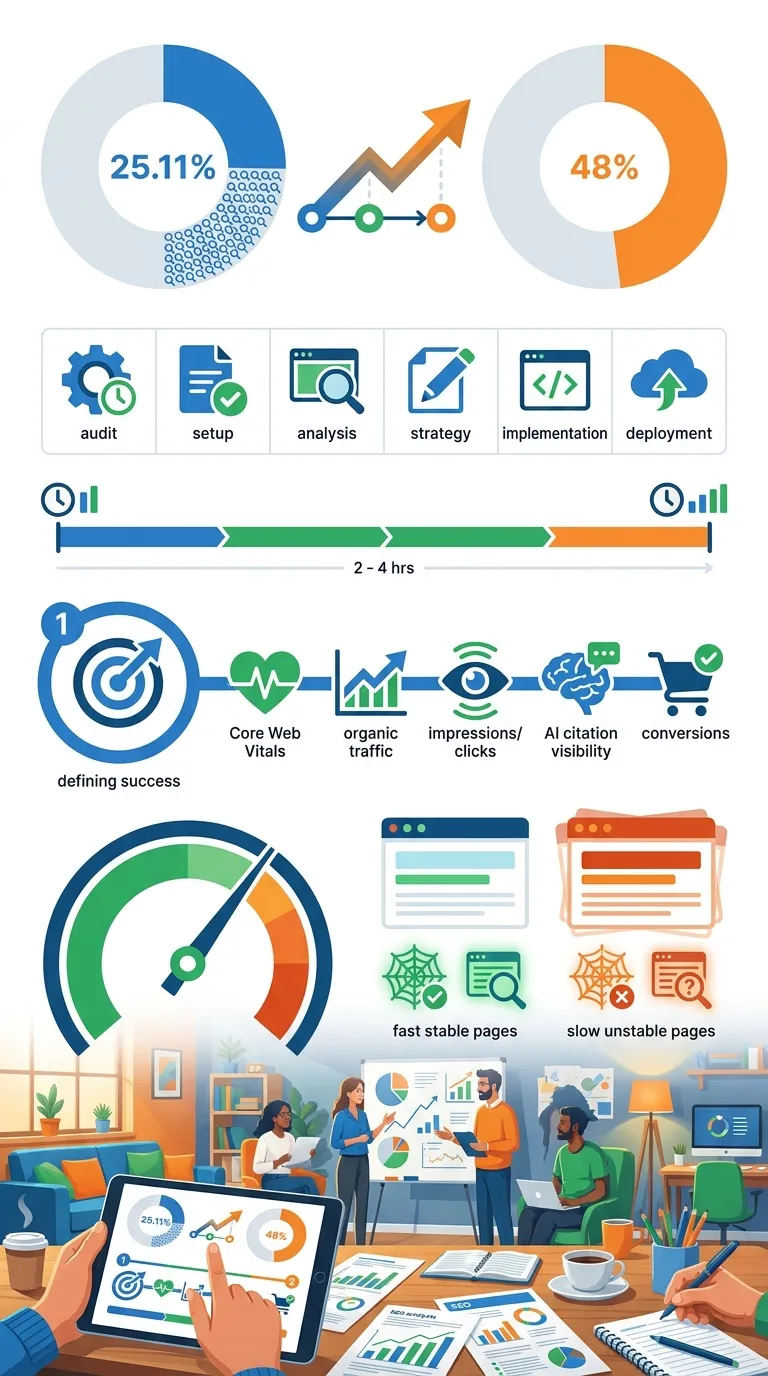
Improve real-user speed, build technical trust, and make pages easier to index, quote, and surface in AI-driven results. Search is changing quickly. Large studies now show AI Overviews appearing in a meaningful share of queries, and that shift affects how pages get discovered, cited, and shown across modern results. One large Q1 2026 analysis of 21.9 million searches found them in 25.11% of searches. Another March 2026 data set showed them in as many as 48% of queries (Digital Applied, Digital Applied).
Readers will leave with a beginner-friendly process: what to measure, which website optimization tools to use, what to fix first, and how to connect speed work to AI SEO and GEO.
Before you start page speed optimization
Before you begin, make sure these basics are in place:
- Access to Google Search Console
- Access to Google PageSpeed Insights and Lighthouse
- A CMS or developer access to update images, scripts, caching, and themes
- A list of top landing pages, blog posts, and product or service pages
- Optional: a crawler or AI visibility tracker for larger sites
- About 2 to 4 hours for the first audit
Tip: Start with the highest-value pages first, not the whole site at once. Don’t try to fix everything in one day.
Step 1: Define what success looks like in page speed optimization
Decide what really needs to improve before changing a single image or script. For AI search visibility, speed is only one part of the goal. Faster pages help with crawlability, user experience, and overall technical quality, and those signals make it easier for search engines to index pages cleanly and build trust.
According to Semrush, AI search optimization should be tracked as its own KPI, not only through classic rank tracking (Semrush). The scorecard should include:
- Core Web Vitals status
- Organic traffic to priority pages
- Search Console impressions and clicks
- AI Overview presence or citation tracking, if available
- Conversions from fast, high-intent pages
To provide a good user experience, strive to have LCP occur within the first 2.5 seconds of the page starting to load.
Google Search Central, Google Search Central Tweet
Connect page speed optimization to business outcomes, not vanity scores. A perfect lab score means little if mobile users still wait too long. Teams can lose real opportunities here, and that’s easy to miss.
Common mistake: Chasing a Lighthouse score of 100 while ignoring weak field data in Search Console.
Step 2: Benchmark your current Core Web Vitals
Measure where the site stands right now. Start with Google Search Console because it shows data from real users, then check PageSpeed Insights and Lighthouse to see what is behind those numbers.
Google says good Core Web Vitals targets are:
- LCP: 2.5 seconds or less
- INP: under 200 milliseconds
- CLS: under 0.1 (Google Search Central)
The reason is pretty simple: many sites still miss the mark. According to the HTTP Archive, only 48% of mobile origins and 56% of desktop origins passed all three Core Web Vitals in 2025 (HTTP Archive).
| Metric | Good Threshold | Why It Matters |
|---|---|---|
| LCP | 2.5s or less | Shows how fast main content appears |
| INP | Less than 200ms | Measures responsiveness after user actions |
| CLS | Less than 0.1 | Tracks visual stability during load |
| Mobile sites passing all CWV | 48% | Shows how many sites still struggle on phones |
| Desktop sites passing all CWV | 56% | Shows room for improvement even on desktop |
When reviewing reports, fix URLs marked ‘Poor’ before working on pages marked ‘Need improvement.’ Put simply, deal with the biggest problems first. Google gives the same advice for page experience fixes in Search Console Help (Google Search Console Help).
Tip: Start with mobile. Real users there can get the worst experience, and that is where many sites lose the most visibility.
Step 3: Fix the biggest page speed optimization blockers first
Start with the changes that often improve LCP, INP and CLS the fastest. Skip the tiny tweaks at the start. Focus on the biggest speed blockers first, and make the changes most likely to help fast.
Compress and resize images
Convert large hero images to WebP or AVIF. For most content images, keep them below 150 KB when you can. Don’t upload a 2400px image for a spot that only shows at 800px.
Improve hosting and caching
Use full-page caching, browser caching, and a CDN. On WordPress, a slow site can come from weak hosting, even after cleaning up plugins.
Remove or delay heavy scripts
Check third-party tags like chat widgets, heatmaps, review popups, and unused ad scripts. Then load non-essential JavaScript after the main content.
Reduce layout shift
Set width and height on images, reserve space for banners, and don’t inject elements above the fold after the page starts rendering.
To provide a good user experience, strive to have an INP of less than 200 milliseconds.
Google Search Central, Google Search Central Tweet
For many marketers, that one step fixes most of the real issues. Script-heavy pages can hurt mobile UX, increase bounce risk, and make your site feel less trustworthy. It also matters in AI-first search. Fast rendering and a clean technical structure help systems access your content and understand it more reliably.
If you want a wider stack review, check these website optimization tools and Free SEO Tools Worth Using With AI Workflows that support SEO and conversion work.
Common mistake: Installing more optimization plugins instead of removing the scripts and plugins causing the slowdown.
Step 4: Make fast pages easier for AI systems to use
A fast page helps. But AI visibility usually gets better when speed works with structure, because pages that do well in AI search are often easy to crawl, clearly formatted, and built around direct answers.
So speed work should sit alongside:
- Clear H2 and H3 headings
- A short summary near the top
- Strong internal links to related pages
- Schema markup where relevant
- Short answer blocks that are easy to quote
- Fewer distractions above the fold
This setup fits a broader GEO pattern. AI engines usually prefer pages that are easy to scan and retrieve, not pages stuffed with keywords. A technically clean page with simple sections, useful definitions, and stable performance makes things easier for both users and machines.
For a wider strategy, Generative Engine Optimization Guide for 2026 is useful here. It brings technical SEO, content clarity, and AI answer visibility together in one workflow. Teams exploring AI SEO Tools for GEO Tracking and AI Visibility can also connect technical performance data with broader visibility tracking.
Tip: Put your best direct answer in the first 100 to 150 words under the main heading of a section.
Step 5: Choose website optimization tools by job, not hype
There are a lot of website optimization tools now, and the list keeps getting longer. The best way to pick one is simple: start with the job you actually need it to handle.
Use these categories:
- Measurement tools: Google Search Console, PageSpeed Insights, Lighthouse
- Technical crawl tools: site crawlers that detect render issues, redirect chains, bloated pages and duplicate templates
- AI visibility tools: platforms that track AI Overview presence, LLM mentions or answer engine visibility
- Automation tools: platforms that help your team find issues faster and act across more pages
Core Web Vitals are Google’s main metrics for understanding how a webpage feels to real users.
HTTP Archive Web Almanac editorial team, HTTP Archive Tweet
Real-user performance should shape your stack. A good tool should do more than tell your team a page is slow. It should help connect that issue to rankings, traffic quality, content output and AI visibility over time. That wider view matters. Platforms such as SEO Bot Software fit naturally into that workflow because modern teams need technical insight, content guidance and automation in one place.
If your team also publishes video content, speed matters there as well. Slow pages can also limit visibility for embedded assets. It also helps to review 2026 Video SEO Optimization Using AI Tools alongside resources like Best AI Video Tools for SEO Workflows.
Common mistake: Buying a new tool before deciding which KPI it needs to improve.
Frequently Asked Questions
Does page speed directly affect AI Overview rankings?
There is no strong public proof that page speed alone causes AI Overview inclusion. But fast pages support crawlability, rendering, usability, and technical trust, which all help AI search readiness.
Which Core Web Vital should you fix first?
Start with the metric marked ‘Poor’ on your most valuable pages. For many sites, that is LCP on mobile, because slow main content delivery hurts both UX and search performance.
What are the best free website optimization tools to start with?
Google Search Console, PageSpeed Insights, and Lighthouse are the best first tools for most teams. They give you real-user data, lab diagnostics, and page-level recommendations without extra cost.
How often should you run page speed optimization checks?
Check high-value pages at least once a month, and always after redesigns, plugin installs, theme changes, or new script deployments. Large sites may need weekly monitoring because changes stack up fast.
Can AI SEO platforms help with technical speed issues?
Yes, especially when they combine audits, issue tracking, and workflow automation. For example, SEO Bot Software covers the kind of AI-driven SEO work many agencies want, where technical checks and visibility planning need to work together. Some teams also pair those workflows with AI marketing tools: 2026 Trends You Can’t Miss to coordinate broader campaigns.
Is a high Lighthouse score enough for SEO and AI search visibility?
No. Lighthouse is useful for diagnosis, but field data matters more because it reflects real visitors. A page can test well in the lab and still perform badly for actual mobile users.
Put This Into Practice
Here’s how to tell if the work is paying off. In Search Console, the Core Web Vitals report should start moving more pages out of ‘Poor’ or ‘Need improvement’ and into ‘Good.’ In PageSpeed Insights, the main templates should show faster LCP, lower CLS, and better responsiveness. Those are good signs. Analytics should also start showing lower bounce rates, stronger engagement, and healthier conversion paths on the pages you fixed.
For AI search visibility, watch whether the cleaned-up pages are earning more impressions, getting indexed more reliably, and appearing more strongly in AI-driven results. Modern SEO doesn’t stop at blue links. It also depends on whether content is easy to retrieve, summarize, and trust.
Keep it simple. Pick five high-value pages. Audit them today. Then fix one issue per page this week: image weight, script bloat, layout shift, or caching. Recheck the results in 28 days using field data. If the pattern holds, roll those same fixes out across templates and content clusters.
The real win shows up in page speed optimization. Faster pages make the site better for users, easier for crawlers to process, and more dependable for AI systems to surface with confidence. It’s bigger than scores. That shift goes beyond performance metrics and starts showing up in visibility, engagement, and how well the site supports growth.